
On-Page SEO Explained: How to Optimize Your Website Pages for Higher Google Rankings
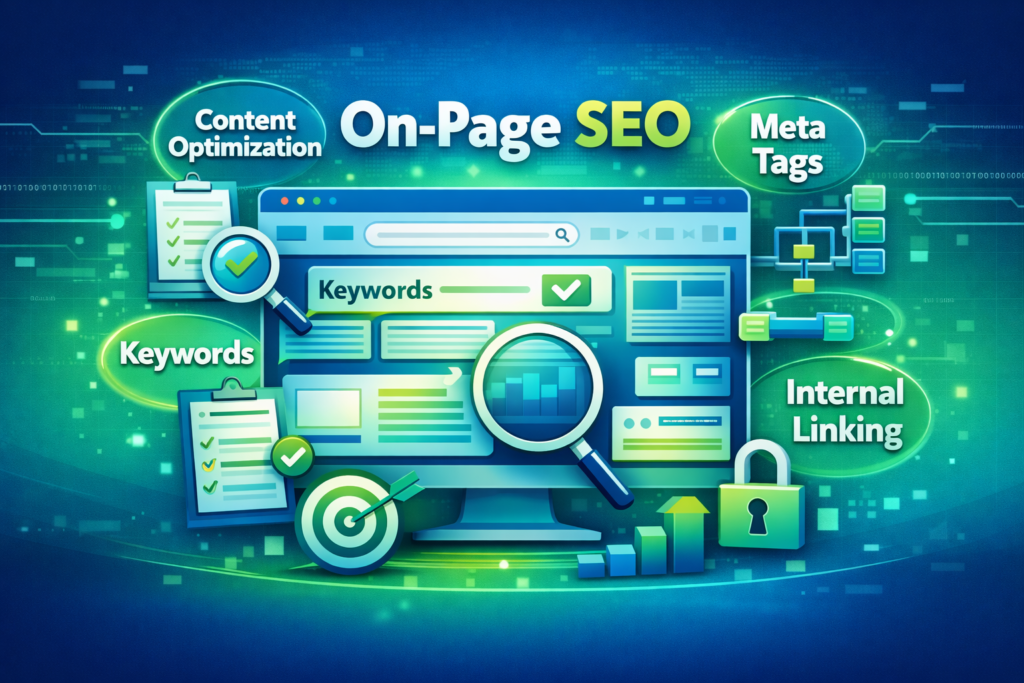
If you want your website pages to rank higher on Google, you must focus on On-Page SEO. While off-page SEO, such as backlinks, is important, on-page optimization ensures that your website’s content, structure, and HTML elements are fully optimized for search engines.
https://smartleaddigitalagency.com/Moreover, on-page SEO helps visitors navigate your site more easily, improves user experience, and increases the chances of converting visitors into leads. In this guide, we’ll cover everything from keyword research to technical SEO elements, giving you actionable strategies to improve your rankings, attract traffic, and boost conversions.
1. What Is On-Page SEO?
On-Page SEO refers to the practice of optimizing individual web pages to help them rank higher in search engines. It involves several elements, including:
- Optimizing content for targeted keywords
- Structuring HTML tags, such as titles and headings
- Enhancing user experience
- Improving technical elements like page speed
In contrast to off-page SEO, which focuses on external factors like backlinks, on-page SEO is fully under your control. Therefore, it forms the foundation of every successful SEO strategy.
2. Perform Keyword Research
Why Keyword Research Matters
Keywords act as a bridge between your audience and your content. Consequently, using the right keywords ensures your pages target what your audience is actively searching for.
Steps for On-Page Keyword Optimization
- First, identify primary keywords for each page.
- Next, include secondary or LSI (Latent Semantic Indexing) keywords to improve relevance.
- Then, target search intent:
- Informational: “What is On-Page SEO?”
- Transactional: “Hire an SEO expert”
- Finally, place keywords naturally in your content, including:
- Page title
- Headings (H1, H2, H3)
- First 100 words
- URL
- Image ALT text
Additionally, tools like Google Keyword Planner, SEMrush, Ahrefs, or Ubersuggest can help you identify high-ranking keywords.
3. Optimize Title Tags & Meta Descriptions
Title Tag OptimizationTitle Tag Optimization
- Always include your primary keyword.
- Keep it 50–60 characters for better visibility in search results.
- Make it click-worthy to improve CTR.
Example:
“On-Page SEO Explained: Optimize Your Website Pages for 2026”
Meta Description Optimization
- Keep meta descriptions 150–160 characters.
- Include the primary keyword and a clear value proposition.
- Encourage users to click your link in search results.
Example:
“Learn On-Page SEO strategies to optimize your website pages, rank higher on Google, and increase organic traffic in 2026.”
Moreover, a well-written meta description can significantly improve click-through rates from search engines.
4. Use Proper Headings & Content Structure
Heading Best Practices
- One H1 tag per page
- Use H2 for main sections
- Use H3/H4 for subpoints
- Include keywords naturally
Content Tips
- Write user-first content, but also include relevant keywords.
- Aim for 800–1200 words for informational content.
- Break text into short paragraphs to enhance readability.
- Use bullet points and numbered lists to highlight key points.
- Additionally, include images, tables, or infographics to make the content engaging.
- In short, a structured page helps both users and search engines understand your content better.
5. Optimize Images & Media
Images enhance engagement, but they can also slow down your website if not optimized.
Image SEO Tips
- Compress images without losing quality (prefer WebP format).
- Use descriptive file names, e.g.,
on-page-seo-guide.jpg. - Add ALT text containing relevant keywords.
- Include captions to improve context.
- Finally, lazy-load images to improve page speed.
- By doing this, you ensure that your images support SEO without negatively affecting performance.
6. Internal Linking & URL Structure
Internal Linking Strategy
- Link related pages and blog posts to each other.
- Use descriptive anchor text rather than generic words like “click here”.
- Avoid orphan pages with no links pointing to them.
- This helps Google understand your site structure and improves ranking potential.
URL Optimization
- Keep URLs short, readable, and keyword-rich.
- Example:
/on-page-seo-guideinstead of/page123?id=5. - Moreover, clear URLs improve user experience and click-through rates.
7. Enhance Page Load Speed & Core Web Vitals
Google prioritizes websites with excellent user experience, which includes page speed.
Core Web Vitals
- Largest Contentful Paint (LCP) should be under 2.5 seconds.
- Cumulative Layout Shift (CLS) should be under 0.1.
- Interaction to Next Paint (INP) should be fast for better interactivity.
How to Improve Speed
- Minify CSS, JS, and HTML.
- Use caching and a CDN.
- Optimize images and media.
- Choose a fast, reliable hosting provider.
- Therefore, improving page speed is crucial for both SEO and user satisfaction.
8. Mobile-First Optimization
With mobile traffic dominating in 2026, Google uses mobile-first indexing.
Mobile SEO Tips
- Use responsive design that works across all devices.
- Choose easy-to-read fonts.
- Ensure buttons are clickable and well-spaced.
- Avoid intrusive pop-ups that disrupt the user experience.
- Additionally, mobile optimization improves engagement and dwell time, which positively affects SEO.
9. Technical On-Page SEO
Important Elements
- Use canonical tags to prevent duplicate content.
- Submit an XML sitemap to Google.
- Implement structured data / schema markup.
- Fix crawl errors using Google Search Console.
By doing this, you ensure that search engines can crawl, index, and understand your content efficiently.
10. Monitor & Improve
SEO is an ongoing process, so monitoring results is critical.
Tools to Track Performance
- Google Analytics 4 → track traffic and conversions.
- Google Search Console → check indexing and fix errors.
- Keyword tracking tools → monitor ranking improvements.
- Heatmaps → analyze user engagement.
In conclusion, regular audits help maintain your on-page SEO and keep your website competitive.
Conclusion
On-Page SEO is the foundation of your website’s search engine performance. By optimizing content, headings, meta tags, images, internal links, and technical elements, you can improve rankings, attract organic traffic, and generate leads.
Moreover, consistent on-page SEO ensures your website remains valuable and competitive in 2026 and beyond.
Want your website pages fully optimized for higher Google rankings?
👉 Contact SmartLead Digital Agency today and start boosting your organic traffic and leads with expert On-Page SEO services.
